Support our educational content for free when you purchase through links on our site. Learn more
OpenClaw for AI-Driven Knowledge: What Can It Do? 🧠

OpenClaw for AI-driven knowledge is best for people who want a customizable AI agent that can connect information to practical workflows—and are willing to manage its permissions, security, and upkeep. It can help retrieve context, summarize research, prepare drafts, and coordinate tools, but it isn’t a complete knowledge base or a guarantee of accurate answers by itself.
A developer who uses OpenClaw describes building a personal assistant that checks issues, prepares research, and drafts work for review. That’s the appeal: less time gathering scattered context. The catch? The agent’s usefulness depends on what it can access—and whether you’ve set sensible limits on what it can do.
Key Takeaways
- OpenClaw is an agent gateway, not an AI model or ready-made company knowledge base. Its capabilities depend on the models, tools, data sources, and permissions you configure.
- Start with read-only access and source-linked answers. Let the agent summarize and recommend before allowing it to edit, publish, or send.
- Memory needs maintenance. Store useful, dated context and review it for stale or incorrect information.
- Self-hosting gives you control, not automatic security. Protect credentials, restrict network access, and follow the official OpenClaw documentation.
- Measure real outcomes. Track time saved after review, accuracy, missed alerts, and the effort required to maintain the workflow.
Table of Contents
- ⚡️ Quick Tips and Facts
- 🧠 What Is OpenClaw for AI-Driven Knowledge?
- How OpenClaw Works: Agents, Tools, Memory, and Models
- OpenClaw vs. Traditional Chatbots and AI Assistants
- 📚 Background: OpenClaw’s Evolution as a Personal AI System
- 🔍 How OpenClaw Turns Information into Useful Knowledge
- Knowledge Capture, Retrieval, and Long-Term Memory
- Connecting Documents, Apps, and Data Sources
- Building a Personal or Team Knowledge Base
- 🧰 OpenClaw Features for Knowledge Work
- Skills, Integrations, and Tool Calling
- Automations, Scheduled Tasks, and Cron Jobs
- Multi-Channel Communication and Collaboration
- 🚀 OpenClaw Knowledge-Work Use Cases
- 1. Autonomous GitHub Issue Triage and Project Knowledge
- 2. Email Management and Inbox Intelligence
- 3. Automated Morning Briefings with Scheduled Tasks
- 4. Calendar Management and Meeting Preparation
- 5. Contact Lookup and Relationship Context
- 6. LinkedIn Research and Post Drafting
- 7. Research, Fact-Checking, and Due Diligence
- 8. Document Generation and Knowledge Synthesis
- 9. Workspace, Settings, and Configuration Management
- 10. Creating a Shared Knowledge Hub with PeachBase
- 11. Cross-Channel Communication and Information Handoffs
- 12. Using OpenClaw to Support Blog Writing
- 🛠️ Setting Up OpenClaw for AI Knowledge Management
- Choosing a Model and Configuring Your Workspace
- Connecting Knowledge Sources and Integrations
- Designing Memory, Notes, and Retrieval Workflows
- Testing Automations Before Putting Them to Work
- 🔐 OpenClaw Security: A Spectrum of Risks and Controls
- Sandboxing and Isolating Agent Work
- Tool Policies and Least-Privilege Access
- Managing API Keys, Tokens, and Other Secrets
- Network Access, Data Privacy, and Retention
- The Human-in-the-Loop Rule for High-Impact Actions
- 📊 OpenClaw for AI-Driven Knowledge: Benefits, Limits, and Numbers
- Productivity Gains and Ways to Measure Them
- Accuracy, Hallucinations, and Source Verification
- Costs, Maintenance, and Operational Trade-Offs
- ⚖️ OpenClaw Alternatives and When to Choose Them
- 🧭 What’s Next for OpenClaw and Personal AI Systems
- 🎓 Learning OpenClaw as a Personal AI Operating System
- 💬 Our Take on OpenClaw for Knowledge Work
- ✅ Conclusion
- 🔗 Recommended Links
- ❓ FAQ
- Is OpenClaw a good fit for personal knowledge management?
- Can OpenClaw search across my files and apps?
- Does OpenClaw remember information between conversations?
- How can I keep sensitive data secure with OpenClaw?
- Can OpenClaw take actions without human approval?
- What are the main limitations of OpenClaw for AI-driven knowledge?
- 📖 Reference Links
⚡️ Quick Tips and Facts
The most useful way to think about OpenClaw is as a self-hosted gateway for AI agents: it connects models, tools, memory, and chat apps so an assistant can help with ongoing work—not just answer one question and forget the conversation.
| Quick fact | What it means for you |
|---|---|
| Open source and self-hostable | You can run the Gateway on your own computer or server and choose how it connects to models and services. “Self-hosted” gives you more control, but also makes you responsible for configuration and security. |
| A gateway, not a model | OpenClaw routes messages and agent work. The capabilities and data handling also depend on the model provider, tools, integrations, and permissions you configure. |
| Designed for ongoing assistance | Sessions, workspace files, memory practices, and scheduled jobs can help preserve useful context. Persistent memory still needs deliberate setup and maintenance. |
| Works with chat channels and tools | The official documentation lists channels including Telegram, Slack, Discord, WhatsApp, Signal, and others, plus tools and integrations. Availability can vary by platform, plugin, and version. |
| Can take actions | With enabled tools, an agent may search, draft, schedule, or make changes. That capability is useful—and why approval gates matter. |
| Not automatically safe or accurate | A model can misunderstand a request, make an incorrect inference, or be influenced by hostile instructions inside external content. Give it only the access it needs. |
Five practical tips before connecting your knowledge
- ✅ Start with read-only access. Let the agent find and summarize information before permitting edits, sending messages, or executing commands.
- ✅ Separate trusted instructions from untrusted content. Emails, webpages, PDFs, and issue comments are data to analyze, not instructions to obey.
- ✅ Require approval for consequential actions. Sending an email, merging a pull request, publishing a post, or modifying important records should usually involve a human confirmation.
- ✅ Use a small, useful memory. Store stable preferences, project decisions, and recurring context. Don’t treat memory as a dumping ground for every conversation.
- ❌ Don’t expose an unauthenticated Gateway to the public internet. Follow the current OpenClaw security guidance and review network settings before remote access.
We’ve found that the most compelling promise here is not “the agent remembers everything.” It’s the agent can retrieve the right context and act on it safely. That distinction becomes more important with every integration you add.
🧠 What Is OpenClaw for AI-Driven Knowledge?
OpenClaw is an open-source, self-hosted agent platform that connects chat interfaces to AI models, tools, sessions, and automation. In a knowledge workflow, it can help gather information from connected sources, organize context, answer questions, and—if authorized—take follow-up actions.
The official documentation describes the Gateway as the central point for sessions, routing, and channel connections. That makes OpenClaw better understood as an orchestration layer than as a searchable company encyclopedia out of the box.
That difference matters:
- A chatbot primarily responds to the information in its prompt and connected context.
- A knowledge system also needs dependable sources, retrieval, permissions, provenance, and maintenance.
- An AI agent can combine those capabilities with tools and actions, which raises the stakes when it gets something wrong.
In the first video featured in this article, the presenter describes the change as moving from AI that “knows” answers to AI that does things. The video’s ReAct-style loop—reason, select a tool, observe its output, and continue—offers a helpful mental model for understanding agent workflows. It is an explanatory overview, not proof that every OpenClaw installation uses identical internals or behaves reliably in every situation. Watch the featured video.
What OpenClaw does—and what it doesn’t do by itself
| Capability | OpenClaw’s role | What you still need to configure |
|---|---|---|
| Chat and message routing | Connects supported channels to an agent through its Gateway | Channel credentials, account permissions, session and access rules |
| Model interaction | Sends work to a configured model or provider | Provider choice, model settings, privacy review, and usage monitoring |
| Tool use | Makes available tools and skills usable by an agent | Tool installation, permissions, validation, and limits |
| Memory and context | Supports sessions and workspace-based context practices | What to remember, how to retrieve it, and how to correct outdated information |
| Automation | Supports scheduled and event-driven workflows | Triggers, action boundaries, logs, retries, and approval steps |
| Knowledge answers | Can help retrieve, summarize, and reason over connected information | Reliable source connections, access control, citations, and evaluation |
How OpenClaw Works: Agents, Tools, Memory, and Models
A useful high-level view is a hub-and-spoke architecture:
- You send a request through a connected channel or interface.
- The Gateway routes it into the appropriate session or agent workflow.
- The model reasons over available context, such as instructions, conversation history, memory, and tool descriptions.
- The agent may call a tool—for example, a search, calendar, or repository integration—if that tool is enabled and relevant.
- The tool returns results, which the model can use to continue reasoning.
- The system responds or proposes an action, depending on the task and configured controls.
That loop is powerful, but the model’s answer is not automatically a verified fact. A search result can be stale; a document can be incomplete; a tool can return the wrong record. For consequential knowledge work, ask the agent to show which sources it used, then verify the important claims against those sources.
| Component | Knowledge-work job | Common failure to watch for |
|---|---|---|
| Gateway | Routes messages, sessions, and channel connections | Misconfigured access or exposed network service |
| Model | Interprets requests, summarizes, and plans | Hallucinations, weak reasoning, or prompt-injection susceptibility |
| Tools and skills | Fetch information or perform actions | Excessive permissions, buggy tools, or malicious skill content |
| Memory and workspace | Retain selected context across tasks | Stale notes, sensitive data, or mistaken “facts” becoming persistent |
| External data sources | Provide the underlying knowledge | Missing access, inconsistent formats, or out-of-date records |
| Human review | Checks important interpretations and actions | Approval becoming a rubber stamp instead of a real check |
OpenClaw vs. Traditional Chatbots and AI Assistants
| Approach | Best suited for | Typical limitation |
|---|---|---|
| General chatbot, such as ChatGPT | Conversational help, drafting, and analysis | Access to your live work context depends on enabled features and connections |
| Workplace assistant, such as Microsoft 365 Copilot | Workflows within Microsoft 365 environments | Capabilities and data access are shaped by the Microsoft ecosystem and organizational setup |
| Searchable knowledge platform, such as Atlassian Rovo | Finding and working with organizational knowledge across supported services | Coverage depends on connected sources, permissions, and product configuration |
| Self-hosted agent platform, such as OpenClaw | Custom workflows across channels, tools, and infrastructure you manage | More control means more operational, security, and maintenance responsibility |
Our recommendation: choose OpenClaw when you value customization, integration flexibility, and control enough to manage the system. If your priority is a managed assistant with built-in enterprise administration, compare it closely with established workplace platforms before building your own agent stack.
📚 Background: OpenClaw’s Evolution as a Personal AI System

OpenClaw sits within a broader shift from AI as a text generator toward AI as a tool-using assistant. Instead of stopping at “Here’s a suggested reply,” an agent might gather context, draft the reply, and wait for approval to send it.
A developer’s hands-on account of using OpenClaw describes it as “a personal operating system that happens to be powered by AI.” That phrase captures the appeal: an assistant that can meet you in messaging apps, remember selected context, and connect to day-to-day tools. It’s also a user’s experience, not a guarantee that every setup provides seamless memory or dependable automation.
The official OpenClaw documentation is the source to check for current installation instructions, channels, settings, and features. Since agent platforms change quickly, use current documentation for exact setup and security behavior, rather than relying on an older tutorial or a configuration copied from someone else.
From one-off prompting to repeatable workflows
A one-off prompt might ask for a project summary. A repeatable agent workflow might:
- Check a selected project channel on a schedule.
- Retrieve relevant issues and decisions.
- Prepare a concise status update.
- Flag uncertainties and missing information.
- Ask you to approve any external message.
That workflow is more useful than an isolated answer—but it also has more moving parts. A model update, permission change, broken integration, or stale instruction can change its behavior. Treat agent workflows like software: test, monitor, document, and revise them.
🔍 How OpenClaw Turns Information into Useful Knowledge
AI-driven knowledge work is a pipeline, not a magic memory box:
Capture → organize → retrieve → interpret → verify → act
If one stage is weak, the final answer can look polished while still being wrong. A trustworthy workflow makes the source and uncertainty visible, particularly when it synthesizes information from several places.
Knowledge Capture, Retrieval, and Long-Term Memory
OpenClaw workflows can use session history and workspace files to preserve useful context. The OpenClaw user account linked above describes daily notes and a longer-term MEMORY.md file as part of a personal memory practice. That is a practical pattern, but it should not be confused with an automatically complete or infallible memory system.
A sensible memory design separates:
- Stable preferences: writing style, timezone, recurring constraints.
- Project context: current goals, decisions, owners, and unresolved questions.
- Short-lived details: today’s agenda, temporary task status, or information that should expire.
- Sensitive data: credentials, private records, or personal information that may not belong in agent memory at all.
Use a simple review cycle:
- Capture only useful information. Prefer decisions and durable context over raw conversation dumps.
- Label source and date. A note should say where a claim came from and when it was last checked.
- Separate facts from assumptions. Mark uncertain interpretations so they don’t quietly harden into “truth.”
- Set a review or expiry rule. Revisit facts that change, such as project ownership or policy.
- Test retrieval. Ask questions whose answers should be in memory, then check whether the right source appears.
A vector database can support semantic retrieval, but it does not make the underlying data correct. Retrieval quality depends on what you store, how you index it, and whether the result is actually relevant.
Connecting Documents, Apps, and Data Sources
Potential knowledge sources include:
- Documents and shared drives
- Email and calendars
- GitHub repositories and issue trackers
- Team chat and project tools
- Contacts and customer systems
- Web pages, research reports, and reference databases
The official documentation describes channels and integrations that evolve over time. Before connecting a source, confirm that the integration is supported in your installed version and that its permissions are no broader than needed.
| Source type | Useful agent task | Access question to ask |
|---|---|---|
| Find a thread, summarize follow-ups, draft a reply | Can it read only, or can it send too? | |
| Calendar | Prepare for meetings or identify conflicts | Can it create, edit, or cancel events? |
| GitHub | Summarize issues, propose fixes, draft pull requests | Does it have write access to protected branches? |
| Shared documents | Answer questions and draft summaries | Are document permissions respected end to end? |
| Chat channels | Gather project updates and decisions | Which channels and messages can it access? |
| Web search | Research current public information | Are sources cited and checked for recency? |
For business teams, also consider records retention, data residency, regulatory obligations, and whether a model provider receives source content. “Self-hosted” describes where parts of the system run; it does not by itself prove that every model call or integration stays on your machine.
Building a Personal or Team Knowledge Base
A useful AI knowledge base needs more than files and embeddings. It needs:
- A defined scope: which questions it should answer and for whom.
- Source ownership: who maintains each connected system.
- Access control: users should not see information they could not access directly.
- Freshness signals: timestamps and clear handling of outdated documents.
- Provenance: citations or links that lead back to the source.
- Evaluation: a test set of real questions with expected answers and known caveats.
A pilot can begin with one bounded collection—say, project documentation and resolved GitHub issues—rather than “connect everything.” Test common queries, edge cases, and permission boundaries before expanding. For related coverage of agent design and deployment, see our AI Agents, AI Infrastructure, and AI Automation Workflows guides.
🧰 OpenClaw Features for Knowledge Work
OpenClaw’s value comes from combining several pieces: a message interface, a model, tools, context, and automation. The precise feature set depends on the version and configuration, so check the official docs before building around a capability.
Skills, Integrations, and Tool Calling
A tool gives the agent a way to fetch data or take an action. A skill can describe a repeatable workflow and how to use relevant tools. This is useful when you want consistent steps rather than a fresh improvisation every time.
For example, a research skill could ask the agent to:
- Clarify the question and time range.
- Search approved sources.
- Compare claims across independent references.
- Label facts, estimates, and uncertainty.
- Return source links and open questions.
But instructions are not security controls. A skill that says “never send without approval” is helpful, yet it should be backed by tool permissions and workflow design that make unauthorized sending difficult.
Automations, Scheduled Tasks, and Cron Jobs
Scheduled work is a good fit for repetitive, low-risk tasks:
- A morning summary of selected messages and calendar events
- A periodic report on new project issues
- A reminder to review unresolved follow-ups
- A weekly digest of changes in approved public sources
Start with a report-only workflow. Let it summarize and alert before giving it permission to edit records or send communications. Add logs, clear failure notifications, and a way to pause the automation.
The OpenClaw user account describes adjusting a scheduled briefing to use a lighter model and less frequent checks to reduce unnecessary work. The broader lesson is sound: match model capability and frequency to task difficulty. Don’t use a heavyweight model every few minutes to check whether one new issue appeared.
Multi-Channel Communication and Collaboration
The OpenClaw documentation lists multiple supported messaging channels and describes multi-agent and session-routing features. Those make it possible to interact with an assistant where work already happens, but the same convenience can create a confusing security boundary.
Before enabling a group channel, decide:
- Who can message the agent?
- Do direct messages and group chats use separate sessions?
- Can the agent see prior messages or only new ones?
- Which tools are available in a shared conversation?
- How will private information be kept out of group replies?
A shared chat is not automatically a shared knowledge space. Configure identity, session isolation, and permissions deliberately.
🚀 OpenClaw Knowledge-Work Use Cases
These examples illustrate possible workflows—not guaranteed built-in products or verified outcomes. Tool availability, permissions, model quality, and maintenance all affect whether they work well.
1. Autonomous GitHub Issue Triage and Project Knowledge
An agent can monitor a repository, group incoming issues, identify likely duplicates, summarize relevant code or documentation, and draft a proposed implementation plan. A developer’s OpenClaw field report describes a workflow that checks GitHub issues, prepares plans for review, and can proceed toward code changes and pull requests.
A safe rollout looks like this:
- Read issues and documentation only.
- Ask the agent to classify and summarize with links to source issues.
- Have it draft plans, but require a developer to review them.
- Allow branch-level changes only in a sandbox or isolated workspace.
- Require human approval before opening, approving, or merging a pull request.
| Stage | Agent may do | Human should check |
|---|---|---|
| Triage | Categorize, identify possible duplicates | Whether classification and priority make sense |
| Research | Find relevant files and previous decisions | Whether the cited files are current and relevant |
| Planning | Draft steps and tests | Whether the plan fits architecture and product intent |
| Implementation | Propose code changes in a constrained branch | Security, tests, correctness, and side effects |
| Delivery | Prepare a pull request | Whether to publish or merge it |
Avoid granting repository-wide write access as the first step. Read access plus draft plans provides useful leverage with a much smaller blast radius.
2. Email Management and Inbox Intelligence
An email assistant can identify messages that need attention, summarize threads, find unanswered requests, and draft replies using relevant project context. The OpenClaw field report describes email and calendar workflows; those are personal-use examples, not an independent security audit.
Start with these boundaries:
- Restrict access to the mailbox and folders you actually need.
- Have the agent draft, not send.
- Ask it to quote or link the source thread behind a proposed reply.
- Keep confidential or regulated email out of the workflow until your organization approves it.
- Review the recipient, attachments, tone, and claims before sending.
One unsafe email is enough to turn “hands-free convenience” into a very memorable afternoon. For external communication, our default is simple: the agent prepares; a person approves.
3. Automated Morning Briefings with Scheduled Tasks
A useful briefing should reduce clutter, not produce a second inbox. A restrained version might include:
- Calendar events for today and the next workday
- Unread messages matching defined criteria
- Open follow-ups with source links
- Project changes since the previous briefing
- A short “needs your attention” section, with uncertainty clearly labeled
Build it step by step:
- Set the timezone and schedule.
- Select specific sources and a short lookback window.
- Create a concise format with links to original records.
- Run it manually for several days and compare it with reality.
- Add automation only after it reliably excludes noise and flags important exceptions.
A user report describes a morning briefing scheduled for a particular timezone using a smaller model for routine summarization. That anecdote shows a practical design choice, not a universal cost or accuracy benchmark.
4. Calendar Management and Meeting Preparation
With calendar access, an agent can prepare a meeting brief from the invitation, related documents, and prior notes. It can also draft event descriptions or propose schedule changes.
A cautious workflow:
- Read the event details and relevant documents.
- Return attendees, agenda, relevant decisions, and unresolved questions.
- Include source links for claims and documents.
- Draft any changes for review.
- Ask before creating, modifying, or canceling an event.
One OpenClaw user describes extracting selected conference sessions from a PDF, enriching them with web research, and creating calendar events. It’s a persuasive example of multi-step assistance, but the workflow depends on accurate extraction, reliable source matching, and careful review before calendar edits.
5. Contact Lookup and Relationship Context
Contact lookup can help answer questions such as “Who owns this relationship?” or “When did we last discuss the project?” An agent may combine a contact record with permitted email or project history to produce a compact briefing.
Use source-backed summaries, not confident biographical guesswork. Check that the agent is reading the correct person’s record, especially when names are similar. Set boundaries around personal data, and avoid storing sensitive relationship notes unless there is a clear business need and an approved policy.
6. LinkedIn Research and Post Drafting
An agent can gather public information about an event, speakers, and organizations, then draft a post with links. The OpenClaw field report describes using this kind of research workflow and then adding a personal perspective.
To make the result sound like you—not like an enthusiastic brochure:
- Ask for sources and flag claims that could not be verified.
- Provide your own point of view, experience, or lesson.
- Remove unsupported superlatives and invented quotations.
- Check names, job titles, dates, and links.
- Publish manually unless you have a well-tested, explicitly approved publishing workflow.
AI can assemble the context. You supply the judgment and voice.
7. Research, Fact-Checking, and Due Diligence
OpenClaw can coordinate research across sources and return a comparison, timeline, or question list. The field report gives examples of researching apps, regulations, and local events. Treat those as demonstrations of a workflow, not as evidence that every finding was independently validated.
For better research output, require:
- A clear research question and date range.
- Primary sources where available, such as laws, official product documentation, and company filings.
- More than one independent source for consequential claims.
- Direct links beside claims.
- A “not verified” label where sources conflict or evidence is weak.
- A final human review before business or legal decisions.
A strong research assistant should be willing to say, “The sources don’t settle this.” Confidence without evidence is not due diligence; it’s just a well-formatted risk.
8. Document Generation and Knowledge Synthesis
An agent can turn source material into outlines, briefs, forms, reports, and drafts. One user account describes generating HTML invitations, bilingual forms, PDFs from templates, and email signatures. Those examples show range, but generated documents still need checks for accuracy, accessibility, privacy, and formatting.
A reliable document pipeline should:
- Preserve links to source documents.
- Separate extracted facts from generated wording.
- Check names, dates, figures, and legal language.
- Review accessibility and formatting in the target application.
- Avoid embedding personal data or images without permission.
- Store the final approved version in the correct system of record.
For a high-stakes document, use the model as a drafting and review assistant, not as the final authority.
9. Workspace, Settings, and Configuration Management
OpenClaw’s workspace and configuration shape how the agent behaves. Version-controlling appropriate workspace files can make changes reviewable and reversible, as described in the OpenClaw field report. But don’t put secrets in a repository, even a private one.
Good configuration hygiene includes:
- Backups before upgrades or major changes
- Documented model, tool, and channel settings
- Change review for instructions and skills
- Separate test and production workflows where feasible
- A rollback plan for broken automations
- Secret management outside plaintext configuration
Treat configuration as part of your security perimeter. A harmless-looking instruction change can alter what the agent reads, remembers, or does.
10. Creating a Shared Knowledge Hub with PeachBase
The OpenClaw field report describes using PeachBase through MCP as a shared vector-database-style knowledge store for project decisions, contacts, and learnings. That is a user-reported integration example; we can’t infer from the anecdote alone that PeachBase is a verified or universally supported OpenClaw feature.
Before adopting any third-party memory service, ask:
- What information is stored, and where?
- How are tenant isolation and access controls handled?
- Can users inspect, correct, export, and delete stored data?
- What are the retention and backup policies?
- How are retrieval results sourced and tested?
- Does the MCP server have more access than its task requires?
A “shared brain” can be valuable if it is governed. Without ownership and cleanup rules, it can become a shared drawer full of outdated assumptions.
11. Cross-Channel Communication and Information Handoffs
A single assistant that can work across chat, email, and project tools can reduce context switching. It can also carry a private conversation into the wrong channel if session isolation and recipient checks are weak.
For team use:
- Define which identities and channels the agent may serve.
- Keep personal and shared workspaces separate where needed.
- Avoid exposing private memory in group sessions.
- Require recipient confirmation before external messages.
- Log important actions and provide a straightforward pause mechanism.
The convenient part is “ask where you already work.” The hard part is ensuring the answer goes only where it belongs.
12. Using OpenClaw to Support Blog Writing
OpenClaw can help collect research, organize notes, generate outlines, and draft sections from approved sources. That makes it a useful editorial assistant—but it should not become an invisible source of unsupported claims.
A responsible writing workflow:
- Gather source material and record links.
- Ask for an outline and claim-to-source mapping.
- Draft in a clearly labeled working document.
- Verify quotes, statistics, and product details against primary sources.
- Add human expertise, judgment, and original experience.
- Check for confidential information before publication.
In other words, the agent can help build the workbench. The editor still decides what deserves to be published.
🛠️ Setting Up OpenClaw for AI Knowledge Management
OpenClaw’s installation and requirements can change. Follow the current official installation and getting-started documentation rather than treating an old command as evergreen. The docs describe supported environments, a Gateway, channel setup, and model configuration; consult the release-specific guidance for your system.
Choosing a Model and Configuring Your Workspace
Choose a model based on the task, data policy, and reliability requirement—not a leaderboard headline alone.
| Task | What to prioritize | Sensible starting policy |
|---|---|---|
| Sorting or labeling | Speed and consistency | Test on representative examples and review errors |
| Summarizing known documents | Faithfulness and source handling | Require citations or document links |
| Research across sources | Retrieval and reasoning quality | Verify important claims independently |
| Code changes | Coding ability and tool control | Sandbox changes and require review |
| Sensitive business work | Privacy, contracts, and governance | Use only an approved provider and deployment path |
The OpenClaw user report says the author moved routine scheduled checks to a smaller model and reduced polling frequency. That’s a reasonable optimization pattern, but model quality, provider terms, and task sensitivity differ. Benchmark your own workload instead of assuming a model is “good enough.”
Connecting Knowledge Sources and Integrations
Connect sources in stages:
- List the questions your workflow should answer.
- Identify the minimum sources needed.
- Create a dedicated identity or narrowly scoped credentials where possible.
- Begin with read-only permissions.
- Test with allowed and disallowed records.
- Record what content leaves your environment.
- Expand access only after reviewing results and logs.
Never assume that “the agent can access it” means “the agent should access it.” For further context on deployment choices, browse our AI Infrastructure and AI Business Applications coverage.
Designing Memory, Notes, and Retrieval Workflows
Give memory a purpose and shape:
- Store decisions, preferences, and durable project context.
- Keep temporary tasks in short-lived notes.
- Add timestamps, sources, owners, and confidence.
- Mark superseded facts instead of silently overwriting history.
- Exclude secrets and unnecessary sensitive information.
- Test whether the agent retrieves the right note, not just a vaguely related one.
If you use a vector database or MCP service, test deletion, access control, and retrieval behavior. A document that is “forgoten” in one interface may still exist in backups or indexes; understand the service’s data lifecycle.
Testing Automations Before Putting Them to Work
Use a staged launch:
| Stage | Agent authority | Exit condition |
|---|---|---|
| 1. Observe | Read approved data only | Sources and permissions are understood |
| 2. Report | Summarize and recommend | Answers are accurate enough on a test set |
| 3. Draft | Prepare messages or changes without submitting | Human reviewers can catch errors |
| 4. Limited action | Perform low-risk actions with logging | Failures are detectable and reversible |
| 5. Expanded workflow | Add scope cautiously | Monitoring, approvals, and rollback are proven |
Test ambiguous requests, malformed documents, missing permissions, duplicate records, and malicious instructions embedded in external content. If the agent can’t tell you what it relied on, it isn’t ready to operate unattended.
🔐 OpenClaw Security: A Spectrum of Risks and Controls
Security is not a single checkbox. It is the combined effect of network exposure, identity, model access, tools, stored data, integrations, and human oversight. The OpenClaw documentation should be your operational reference; the NIST AI Risk Management Framework provides broader guidance for identifying and managing AI risks.
Sandboxing and Isolating Agent Work
The field report discusses Docker sandbox modes described there as "off", "non-main", and "all". Exact names and behavior may vary with version and configuration, so verify them in the current documentation before using them.
The principle is more durable than any one setting:
- Use a sandbox for untrusted or shared interactions.
- Separate the agent’s working directory from personal files.
- Limit filesystem access and execution capabilities.
- Test whether the sandbox actually blocks actions you intend to restrict.
- Don’t treat containers as a substitute for patching, access controls, or careful permissions.
Tool Policies and Least-Privilege Access
Give each agent the smallest set of capabilities required for its task.
- Read-only before write access
- Specific repositories before organization-wide access
- Drafting before sending
- Limited commands before broad shell access
- Separate credentials for separate workflows
- Approval for destructive, financial, public, or external actions
An allowlist is generally easier to reason about than a broad tool menu with a long denylist. Review skills and third-party integrations before enabling them; instructions written in a file are not a substitute for inspecting the code and permissions behind a tool.
Managing API Keys, Tokens, and Other Secrets
- Keep credentials out of prompts, memory files, shared chat, and Git.
- Use environment variables or an approved secret manager where supported.
- Prefer scoped and revocable tokens.
- Rotate credentials after suspected exposure.
- Review logs for accidental secret disclosure.
- Understand whether the model provider or integration receives the data.
Never paste a production token into an agent conversation “just for setup.” Convenience has a talent for becoming an incident report.
Network Access, Data Privacy, and Retention
The field report recommends keeping the Gateway’s default local address from public exposure and using a secure remote-access method, such as a properly configured private network or authenticated proxy, where needed. Verify current defaults in the OpenClaw docs.
Before deployment, map the data path:
Source app → OpenClaw Gateway → model provider → tools or integrations → logs and storage
For every connection, ask what is transmitted, who can access it, how long it is retained, and whether it can be deleted. Self-hosting can reduce dependence on a hosted assistant service, but external model APIs and connected services may still process data outside your host.
The Human-in-the-Loop Rule for High-Impact Actions
Keep a person in control of actions that could:
- Send messages to customers or colleagues
- Publish public content
- Modify production systems or data
- Spend money or make commitments
- Merge or deploy code
- Affect employment, legal, medical, or financial decisions
The user account describes adopting a rule to show drafts and wait for approval after an unapproved outbound email. That is a personal lesson, but a strong general design principle: make review part of the workflow, not a note buried in an instruction file.
📊 OpenClaw for AI-Driven Knowledge: Benefits, Limits, and Numbers
OpenClaw’s strongest benefits come from joining context to action. Its main trade-off is that the same connections that make it useful create operational and security responsibilities.
| Potential benefit | Why it helps | Counterweight |
|---|---|---|
| Persistent work context | Reduces repeated explanations | Memory can be incomplete or stale |
| Flexible integrations | Connects workflows across tools | Every integration adds permissions and failure modes |
| Repeatable automation | Handles routine checks and summaries | Scheduling errors can repeat at scale |
| User-controlled deployment | Offers infrastructure choices | You own updates, monitoring, and security |
| Tool-using assistance | Can move from answer to draft or action | Mistakes can affect real systems |
Productivity Gains and Ways to Measure Them
Don’t evaluate an agent by the number of tasks it claims to complete. Measure the result:
- Minutes saved after review time
- Error rate on a representative task set
- Percentage of answers with usable source links
- Number of missed or false alerts
- Actions requiring correction or rollback
- User trust and adoption
- Cost and operational effort per successful workflow
The field report’s author says OpenClaw saved “2 hours today.” That is a useful anecdote about perceived value, not a controlled productivity study. For a fair comparison, record baseline time and agent-assisted time across several weeks, including the time needed to check and repair outputs.
Accuracy, Hallucinations, and Source Verification
A fluent response can still contain an invented detail. For important claims:
- Open the cited source, not just the agent’s summary.
- Check dates and version numbers.
- Compare independent sources when practical.
- Ask which details are inferred rather than directly stated.
- Keep a “could not verify” category in reports.
- Correct and update the knowledge base when errors are found.
For broader context on measuring system performance, see the NIST AI Risk Management Framework and our AI News coverage of new agent research and products.
Costs, Maintenance, and Operational Trade-Offs
Even when the software is open source, operating an agent can involve model usage, hosting, backups, monitoring, integration work, and staff time. We’re deliberately not treating those as one fixed figure: the total depends on your model, schedule, hardware, data sources, and workload.
Practical ways to keep operations in check:
- Use the smallest capable model for routine tasks.
- Reduce unnecessary polling.
- Cache or reuse results where appropriate.
- Set limits on retries and long-running jobs.
- Monitor model and tool usage.
- Budget for maintenance, security updates, and human review.
What the Evidence Does—and Doesn’t—Tell Us
Different sources answer different questions:
- OpenClaw’s official docs are the strongest source for current product behavior and configuration.
- A practitioner’s blog is useful for real workflow examples, but its success stories are personal reports rather than controlled evaluations.
- NVIDIA’s announcement describes its own agent tools and enterprise collaborations; it is not an independent benchmark of OpenClaw.
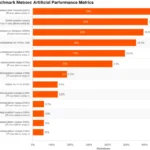
In an NVIDIA announcement about AI agents, NVIDIA characterizes OpenClaw and Claude Code as part of an “agent inflection point” and presents NVIDIA’s Agent Toolkit, OpenShell, Nemotron, and AI-Q as tools for building agent systems. NVIDIA also reports performance and cost claims for its own AI-Q approach. Those figures apply to NVIDIA’s stated system and evaluation context, not automatically to OpenClaw. Product marketing, vendor benchmarks, and a user’s field report should not be collapsed into one universal performance claim.
⚖️ OpenClaw Alternatives and When to Choose Them
| Option | Consider it when | Trade-off to examine |
|---|---|---|
| ChatGPT | You want a broadly accessible AI assistant with managed product features | Check plan, data controls, and which integrations are available to your account |
| Microsoft 365 Copilot | Your work is centered on Microsoft 365 | Evaluate tenant controls, licensing, supported data, and administrative setup |
| Atlassian Rovo | Your knowledge primarily lives in Atlassian products and connected work apps | Confirm source coverage, permissions, and workflow fit |
| LangChain | You’re building a custom agent or retrieval application as a developer | More development and evaluation work may be required |
| NVIDIA Agent Toolkit | You’re exploring NVIDIA’s agent-development and security ecosystem | Hardware, model, platform, and integration choices affect fit |
| OpenClaw | You want a customizable, self-hosted Gateway and are comfortable operating it | You take on deployment, integration, and security responsibilities |
Choose by workflow, data policy, and operational capacity, not by whichever demo looks most dramatic. A managed product may better for a team that wants centralized support; OpenClaw may suit a technical user who values hands-on control and can maintain the system.
🧭 What’s Next for OpenClaw and Personal AI Systems
The broader agent ecosystem is moving toward agents that can select tools, work across enterprise data, and explain their results. NVIDIA’s announcement highlights tools such as OpenShell for policy-based guardrails and AI-Q for knowledge-oriented agent workflows. Those developments point to an important industry question: how do we make agent actions auditable and constrained as well as capable?
For OpenClaw users, the practical questions are less futuristic:
- Will integrations preserve source permissions?
- Can you trace answer back to its evidence?
- Can you stop an automation quickly?
- Are multi-agent workflows isolated and understandable?
- Does each new capability have a clear owner and test plan?
The next step in AI-driven knowledge is not simply storing more data. It is making retrieval, permissions, provenance, and action controls work together.
🎓 Learning OpenClaw as a Personal AI Operating System
The two-day training described in the practitioner’s field report covers a VPS setup, messaging channels, memory files, scheduled workflows, a coding-agent loop, and MCP integrations. That is one provider’s course description, not an endorsement or independent assessment.
You can also learn by building a small, controlled project:
- Read the latest OpenClaw documentation.
- Run the Gateway in a test environment.
- Connect one low-risk, read-only source.
- Build a workflow that returns source links.
- Test false matches, missing data, and hostile input.
- Add draft-only actions and human review.
- Document what the agent can access and how to pause it.
- Expand only when the workflow is reliable and maintainable.
If you’re new to agents, start with the concepts in our AI Agents and AI Automation Workflows coverage before giving any system broad access.
💬 Our Take on OpenClaw for Knowledge Work
OpenClaw is most attractive when you want a customizable, tool-using assistant that fits into existing workflows and you’re comfortable taking responsibility for its setup. It can turn repeated information gathering into a more consistent process, and its chat-based interaction can make an agent feel close at hand.
We would not recommend starting with unrestricted autonomy. Start with read access, visible sources, short memory, and draft-only outputs. Then test the agent on real work and expand its authority gradually.
| Perspective | Strongest point | Caution |
|---|---|---|
| Individual developer | Flexible workflows and a personal assistant across channels | Setup and upkeep can consume time |
| Knowledge worker | Faster summaries, research briefs, and meeting preparation | Human verification remains essential |
| Team lead | Repeatable processes and shared context | Shared memory and channel access need governance |
| Security or IT team | Self-hosting offers deployment choices | It also creates responsibility for hardening, monitoring, and incident response |
The practitioner’s enthusiasm makes sense: a well-designed assistant can save repeated effort. NVIDIA’s enterprise framing also reflects real interest in agents that can work across company knowledge. Neither enthusiasm removes the central engineering challenge: make the useful action easy, and the unsafe action hard.