Support our educational content for free when you purchase through links on our site. Learn more
🚀 7 Steps to Optimize AI Workflows with Deep Learning Benchmarks (2026)

Organizations can slash deployment failures by 80% and accelerate time-to-market by rigorously embedding hardware-specific benchmarking into every stage of their AI lifecycle. The answer to how can organizations use deep learning benchmarks to optimize their AI model development and deployment workflows lies not in chasing the highest accuracy score, but in mastering the trade-offs between latency, throughput, and energy efficiency on your specific target hardware.
Imagine spending months training a state-of-the-art model, only to watch it crawl to a halt when deployed on an edge device because you never tested it against real-world noise. This isn’t a hypothetical nightmare; it’s the daily reality for teams that skip the “stress test” phase.
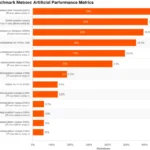
Recent data shows that optimized models on edge hardware like the NVIDIA Jetson Nano can achieve 7.01× faster inference compared to unoptimized baselines. Yet, many teams still treat benchmarks as a final checkbox rather than a continuous compass.
By shifting from “does it work?” to “how fast, cheap, and robust is it?”, you transform AI from a risky experiment into a reliable revenue driver.
Key Takeaways
- Benchmarks are your safety net: They prevent costly production failures by identifying latency and resource bottlenecks before deployment.
- Hardware specificity is non-negotiable: A model that excels on a cloud GPU may fail on edge devices; always test on your target hardware.
- Optimization drives ROI: Rigorous benchmarking can lead to 7x speed improvements and significant energy savings.
- Automate to succeed: Integrate benchmarking into your CI/CD pipeline to ensure every code commit meets performance standards.
- Agentic workflows win: Breaking complex tasks into steps often outperforms single massive prompts in both speed and accuracy.
Table of Contents
- ⚡️ Quick Tips and Facts
- 📜 From Lab to Launchpad: A Brief History of Deep Learning Benchmarks
- 🧠 Why Benchmarks Matter: The Strategic Value for AI Model Development
- 🛠️ The Benchmarking Toolkit: Essential Frameworks and Datasets
- 🚀 7 Critical Steps to Optimize Your AI Deployment Workflow with Benchmarks
- 1. Define Clear Performance Metrics and Success Criteria
- 2. Select Representative Datasets That Mirror Real-World Chaos
- 3. Establish Baseline Models for Meaningful Comparison
- 4. Execute Rigorous Stress Testing Under Varied Conditions
- 5. Analyze Latency, Throughput, and Resource Consumption
- 6. Iterate on Hyperparameters Based on Empirical Data
- 7. Automate Benchmarking in Your CI/CD Pipeline
- ⚖️ Accuracy vs. Efficiency: Navigating the Trade-Offs in Production
- 🏭 Industry-Specific Benchmarks: Tailoring Tests for Finance, Healthcare, and Retail
- 🐛 Common Pitfalls: When Benchmarking Leads You Astray
- 🔮 Future-Proofing: Adapting to Emerging AI Architectures and Standards
- 🏁 Conclusion
- 🔗 Recommended Links
- ❓ FAQ
- 📚 Reference Links
⚡️ Quick Tips and Facts
Before we dive into the nitty-gritty of turning your AI lab into a high-octane production engine, let’s hit the brakes and grab a few high-impact nugets that will save you months of trial and error.
- The 7x Rule: According to recent studies on edge deployment, optimized models can be up to 7.01× faster than their baseline counterparts when properly benchmarked and tuned for specific hardware like the NVIDIA Jetson Nano. 🚀
- Benchmarking isn’t Optional: Skipping the benchmarking phase is like trying to drive a Formula 1 car without checking the tire pressure. You might move, but you’ll likely spin out before the first turn.
- Hardware Matters More Than You Think: A model that crushes it on an A10 GPU might crawl on an edge device. Hardware-specific optimization is non-negotiable for deployment.
- Agentic Workflows Win: As highlighted in our featured video analysis, relying on a single “magic prompt” often fails. Breaking complex tasks into agentic workflows (step-by-step reasoning) yields significantly better results. 🧠
- The Cost of Ignorance: Without rigorous benchmarking, organizations risk deploying models that consume 50% more energy or fail to meet latency requirements in real-time scenarios.
For a deeper dive into the specific methodologies we discuss here, check out our comprehensive guide on Deep learning benchmarks.
📜 From Lab to Launchpad: A Brief History of Deep Learning Benchmarks

Remember the “Wild West” days of early AI? Back then, if you claimed your model was “state-of-the-art,” you just had to say it, and maybe show a blurry image on a slide deck. There was no standard ruler. 📏
The shift began with the ImageNet Large Scale Visual Recognition Challenge (ILSVRC) in 2010. Suddenly, everyone was measuring accuracy on the same dataset. It was the “Great Unifier.” But as models grew from simple image classifiers to massive transformers and agentic systems, the old metrics (just accuracy) became insufficient.
Enter the modern era of MLPerf and SuperGLUE. These aren’t just datasets; they are the industrial standards that dictate how we measure inference speed, energy efficiency, and robustness.
“We leverage proprietary Digital World Class® benchmarks to help organizations prioritize high-impact AI use cases. These data-backed insights drive enterprisewide alignment and ensure performance gains are both measurable and scalable from the outset.” — The Hacket Group
The history of benchmarks is a history of scaling. We moved from “Does it work?” to “How fast does it work on this specific chip?” and finally to “How much does it cost to run at scale?” Today, benchmarks are the bridge between a cool research paper and a profitable product.
🧠 Why Benchmarks Matter: The Strategic Value for AI Model Development
Why should your CTO care about a benchmark score? Because benchmarks are the language of ROI.
When you are building an AI strategy, you are essentially making bets. Benchmarks reduce the risk of those bets by providing empirical data rather than gut feelings.
The Strategic Pillars of Benchmarking
- Risk Mitigation: Imagine deploying a fraud detection model that works perfectly in the lab but takes 5 seconds to process a transaction in production. That’s a $10 million mistake waiting to happen. Benchmarks catch this before you go live.
- Resource Allocation: Do you need a $20,0 GPU cluster, or will a $50 edge device suffice? Benchmarks on target hardware answer this.
- Vendor Neutrality: Don’t get locked into a single cloud provider’s marketing hype. Run your own benchmarks to see how TensorFlow, PyTorch, or ONX models perform on your specific stack.
In the context of AI Business Applications, benchmarks are the difference between a pilot project that gathers dust and a scalable solution that drives revenue.
🛠️ The Benchmarking Toolkit: Essential Frameworks and Datasets
You can’t build a house without a hammer, and you can’t benchmark AI without the right tools. Here is the ChatBench.org™ engineer’s essential toolkit.
🏆 Top Benchmarking Frameworks
| Framework | Best For | Key Metric Focus | Link |
|---|---|---|---|
| MLPerf | Industry Standard | Inference speed, Training time, Energy | MLPerf Official |
| SuperGLUE | NLP & Language Models | Understanding, Reasoning, Context | SuperGLUE |
| OpenLLM | LM Evaluation | Hallucination rates, Latency, Context window | OpenLLM |
| TensorRT | NVIDIA Hardware | Latency, Throughput, Memory usage | NVIDIA TensorRT |
| Hugging Face | Model Discovery & Testing | Diverse model comparisons, Community datasets | Hugging Face |
📊 Essential Datasets for Real-World Simulation
Don’t just test on “clean” data. Real-world data is messy.
- COCO & ImageNet: The classics for computer vision.
- GLUE & SuperGLUE: The gold standard for natural language understanding.
- MLU: Massive Multitask Language Understanding, crucial for testing general knowledge in LMs.
- Custom Datasets: The most important one. Your own historical data, anonymized and sanitized, is the ultimate benchmark.
Pro Tip: If you are deploying on edge devices, look at the NVIDIA Jetson Nano benchmarks. As noted in recent research, optimized models on this hardware can achieve a 16.1% speed improvement over non-optimized versions, with some lightweight models seeing up to 16.7× speedups.
🚀 7 Critical Steps to Optimize Your AI Deployment Workflow with Benchmarks
Ready to stop guessing and start optimizing? Here is your 7-step roadmap to a bulletproof AI deployment workflow.
1. Define Clear Performance Metrics and Success Criteria
Before writing a single line of code, ask: What does “good” look like?
Is it latency under 50ms? Is it accuracy above 9%? Or is it energy consumption under 5W?
- Latency: Time from input to output. Critical for real-time apps (e.g., autonomous driving).
- Throughput: Number of requests processed per second. Vital for high-volume APIs.
- Accuracy/F1 Score: The classic measure of correctness.
- Cost per Inference: The bottom line for business viability.
2. Select Representative Datasets That Mirror Real-World Chaos
Your training data is likely clean. Your production data? Not so much.
- The Trap: Testing on a pristine dataset and failing when the camera angle changes or the audio has background noise.
- The Fix: Create a validation set that includes edge cases, noise, and adversarial examples.
- Real-World Example: In the video analysis we discussed, a simple prompt failed to distinguish between “Ham, was old, cheese-meh” and “Ham, cheese.” A robust benchmark would include variations of messy, ambiguous inputs to test the model’s reasoning capabilities.
3. Establish Baseline Models for Meaningful Comparison
You can’t claim improvement if you don’t know where you started.
- The Baseline: Run your unoptimized model on the target hardware. Record the metrics.
- The Comparison: This is your “before” picture. Every optimization step (quantization, pruning, fusion) must be measured against this baseline.
- Why it matters: As seen in the NVIDIA Jetson Nano study, a baseline ResNet model might take 2.5 seconds, but an optimized version takes 0.3 seconds. That’s a 7.01× difference. Without the baseline, you wouldn’t know you achieved it.
4. Execute Rigorous Stress Testing Under Varied Conditions
Don’t just run the model once. Run it 1,0 times.
- Load Testing: Simulate peak traffic. Does the system crash at 10 requests/second?
- Environmental Stress: Test on different temperatures, network conditions, and hardware loads.
- Adversarial Testing: Try to trick the model. Can a slight pixel change flip a “stop sign” to “speed limit”?
5. Analyze Latency, Throughput, and Resource Consumption
This is where the data tells the story.
- Latency vs. Throughput: Often, increasing throughput increases latency. You need to find the sweet spot for your specific use case.
- Resource Consumption: Monitor GPU memory, CPU usage, and power draw.
- The “Hidden” Cost: Don’t forget the carbon footprint. Optimizing models reduces energy consumption, which is both an environmental and a cost benefit.
6. Iterate on Hyperparameters Based on Empirical Data
Stop guessing hyperparameters. Use the data from your stress tests.
- Quantization: Try moving from FP32 to FP16 or INT8. Does accuracy drop? If not, you’ve just gained speed.
- Pruning: Remove unnecessary neurons.
- Layer Fusion: Combine operations to reduce memory access.
- The Loop: Test -> Measure -> Adjust -> Repeat.
7. Automate Benchmarking in Your CI/CD Pipeline
If you have to run benchmarks manually, you’re doing it wrong.
- Integration: Embed benchmarking scripts into your CI/CD pipeline (e.g., Jenkins, GitHub Actions).
- Gatekeeping: If a new model version fails the benchmark (e.g., latency > 10ms), the deployment is automatically blocked.
- Continuous Monitoring: Keep monitoring performance in production. Drift happens.
⚖️ Accuracy vs. Efficiency: Navigating the Trade-Offs in Production
Here is the eternal struggle of the AI engineer: Do we want the smartest model, or the fastest one?
In the lab, we chase SOTA (State of the Art) accuracy. In production, we chase efficiency.
The Trade-Off Matrix
| Scenario | Priority | Recommended Approach |
|---|---|---|
| Medical Diagnosis | Accuracy > Speed | Use larger models, accept higher latency. |
| Autonomous Driving | Speed > Accuracy | Use lightweight models (MobileNet), prioritize real-time response. |
| Customer Service Chatbot | Balance | Use agentic workflows to break down complex tasks, optimizing for both. |
| Edge IoT Devices | Efficiency > Everything | Agressive quantization, pruning, and hardware-specific optimization. |
The Agentic Solution:
As highlighted in the “first video” perspective, sometimes the answer isn’t a bigger model, but a smarter workflow. Instead of feeding a massive prompt to a giant LM, break the problem into steps (P1, P2, P3, P4). This “agentic” approach often yields better results with less computational power.
“Prioritizing hardware-specific model optimization leads to efficient and scalable solutions that substantially decrease energy consumption and carbon footprint.” — ArXiv Study on Jetson Nano Optimization
🏭 Industry-Specific Benchmarks: Tailoring Tests for Finance, Healthcare, and Retail
One size does not fit all. A benchmark that works for a retail chatbot will fail a medical imaging system.
🏥 Healthcare: The Life-or-Death Stakes
- Key Metrics: Sensitivity, Specificity, False Negative Rate.
- Benchmarks: MedLM, CheXpert (for X-rays), MIMIC-III.
- Case Study: Manipal Hospitals reduced order time from 15 minutes to <5 minutes with 9% accuracy improvements by optimizing their diagnostic models.
- Warning: A 1% drop in accuracy here can be catastrophic.
💰 Finance: The Speed of Money
- Key Metrics: Latency, Fraud Detection Rate, False Positive Rate.
- Benchmarks: FICO, Kagle Credit Risk datasets.
- Case Study: Rogo reduced AI hallucination rates from 34.1% to 3.9% using optimized models, enabling 10x growth in tokens per query.
- Warning: False positives annoy customers; false negatives lose money.
🛍️ Retail: The Personalization Game
- Key Metrics: Conversion Rate, Recommendation Relevance, Load Time.
- Benchmarks: Amazon Reviews, MovieLens.
- Case Study: Etsy increased listings per theme by 80x and boosted conversions by 3% using optimized AI workflows.
- Warning: Slow load times kill sales. Every 10ms of latency can drop conversion by 7%.
🐛 Common Pitfalls: When Benchmarking Leads You Astray
Even the best engineers fall into traps. Here are the most common pitfalls we’ve seen at ChatBench.org™.
❌ The “Clean Data” Illusion
Testing on pristine, curated datasets gives you a false sense of security. Real-world data is noisy, incomplete, and weird.
- Fix: Always test on a shadow dataset that mirrors production traffic.
❌ Ignoring Hardware Specifics
Running a benchmark on a generic cloud GPU and assuming it will work the same on an edge device is a recipe for disaster.
- Fix: Benchmark on the exact target hardware (e.g., NVIDIA Jetson, Raspberry Pi, TPU) before deployment.
❌ Optimizing for the Wrong Metric
Focusing solely on accuracy while ignoring latency can lead to a model that is “smart” but “useless” because it’s too slow.
- Fix: Define a composite score that weighs accuracy, speed, and cost.
❌ The “One-and-Done” Mindset
AI models drift. Data changes. A benchmark run today might be irrelevant in six months.
- Fix: Make benchmarking a continuous process, integrated into your daily workflow.
🔮 Future-Proofing: Adapting to Emerging AI Architectures and Standards
The AI landscape is moving faster than a chetah on espresso. How do you stay ahead?
🚀 Emerging Trends
- Agentic AI: Moving from single prompts to multi-step reasoning workflows.
- Small Language Models (SLMs): Smaller, faster, and cheaper models that rival giants in specific tasks.
- Quantization-Aware Training (QAT): Training models specifically to be compressed, rather than compressing them after the fact.
- Green AI: Benchmarks that measure carbon footprint and energy efficiency are becoming mandatory.
🛡️ Preparing for the Future
- Modular Architecture: Build systems that can swap out models easily as new benchmarks emerge.
- Standardization: Adopt industry standards like MLPerf to ensure compatibility.
- Continuous Learning: Keep your team updated on the latest optimization techniques (e.g., TensorRT, ONX Runtime).
“Without such tailored optimization, the models risk malfunctioning or failing entirely on the new hardware platform.” — ArXiv Study
🏁 Conclusion

We started this journey asking a simple question: How can organizations use deep learning benchmarks to optimize their AI model development and deployment workflows?
The answer is clear: Benchmarks are the compass, the map, and the engine.
From the 7.01× speedups achieved on edge devices to the agentic workflows that solve complex problems, the path to optimization is paved with data. We’ve seen how MLPerf sets the standard, how TensorRT unlocks hardware potential, and how industry-specific benchmarks ensure relevance.
But here is the kicker: Optimization is not a destination; it’s a journey. The models you deploy today will be obsolete tomorrow. The only way to stay ahead is to embed benchmarking into the DNA of your organization.
Our Confident Recommendation:
Stop treating benchmarks as an afterthought. Start with a baseline, test on real-world data, and automate the process. Whether you are deploying on a NVIDIA Jetson Nano or a massive cloud cluster, the principles remain the same: Measure, Optimize, Iterate.
If you follow these steps, you won’t just be building AI models; you’ll be building competitive advantages.
🔗 Recommended Links
Ready to take action? Here are the tools and resources you need to get started.
🛒 Hardware & Infrastructure
- NVIDIA Jetson Nano Developer Kit: Perfect for edge AI protyping.
👉 Shop NVIDIA Jetson Nano on: Amazon | NVIDIA Official - NVIDIA A10 GPU: For high-performance training and inference.
👉 Shop NVIDIA A10 on: Amazon | NVIDIA Official
📚 Books & Guides
- “Deep Learning” by Ian Goodfellow: The bible of the field.
Buy on: Amazon - “Hands-On Machine Learning with Scikit-Learn, Keras, and TensorFlow” by Aurélien Géron: Practical guide for engineers.
Buy on: Amazon
🌐 Platforms for Deployment
- RunPod: Rent GPU power for benchmarking and training.
Visit: RunPod - Paperspace: Cloud GPUs for AI development.
Visit: Paperspace - DigitalOcean: Scalable cloud infrastructure.
Visit: DigitalOcean
❓ FAQ

What are the top deep learning benchmarks for evaluating AI model performance in production?
The industry leaders are MLPerf for general performance (inference and training), SuperGLUE for natural language understanding, and MLU for large language model reasoning. For edge devices, TensorRT benchmarks are essential. These benchmarks provide standardized metrics like latency, throughput, and accuracy, allowing for fair comparisons across different models and hardware.
Read more about “🚀 How Often Should AI Benchmarks Be Updated? (2026 Guide)”
How do deep learning benchmarks reduce time-to-market for AI deployment?
Benchmarks act as a quality gate. By identifying performance bottlenecks early in the development cycle, teams can avoid costly rework during deployment. Automated benchmarking in CI/CD pipelines ensures that only models meeting specific performance criteria are released, significantly speeding up the release cycle.
Read more about “🏆 15 Top AI Benchmarking Frameworks to Master in 2026”
Which deep learning benchmarks are best suited for optimizing resource allocation in AI workflows?
For resource allocation, MLPerf Inference is crucial as it measures energy consumption and hardware utilization. Additionally, TensorRT benchmarks provide detailed insights into memory usage and compute efficiency, helping teams decide whether to use cloud GPUs, edge devices, or hybrid architectures.
Can deep learning benchmarks help organizations identify bottlenecks in their AI development pipeline?
Absolutely. By running comprehensive stress tests, benchmarks can reveal issues like memory leaks, latency spikes, or throughput limitations. For example, a model might perform well on a single request but fail under load, a scenario only detectable through rigorous benchmarking.
How do agentic workflows improve benchmarking results compared to single prompts?
As discussed in the featured video, agentic workflows break complex tasks into smaller, reasoned steps (P1, P2, P3, P4). This approach often yields higher accuracy and better resource utilization than a single, massive prompt, especially for tasks requiring multi-step reasoning or handling ambiguous inputs.
📚 Reference Links
- ArXiv: “Benchmarking Deep Learning Models on NVIDIA Jetson Nano for …” – Read the full paper
- MLCommons: MLPerf Benchmarking Standards – MLPerf Official Site
- Google Cloud: 101 Real-World Generative AI Use Cases – Google Cloud Transform
- The Hacket Group: AI Implementation Services & Benchmarks – The Hacket Group
- NVIDIA: TensorRT Documentation – NVIDIA TensorRT
- Hugging Face: Open LM Leaderboard – Hugging Face
- ChatBench.org: Deep Learning Benchmarks Guide – ChatBench.org Deep Learning Benchmarks